
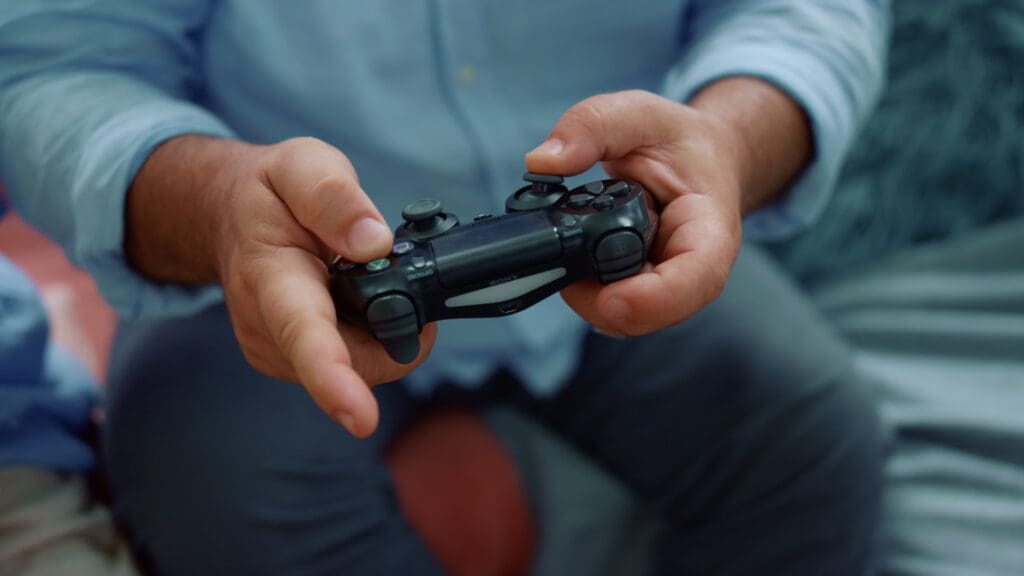
The Gamepad API is a browser feature that lets web apps detect and read input from gamepads and other game controllers in a simple, consistent way. It’s designed for real-time experiences—think web games, interactive demos, accessibility tools, and creative apps—where you want responsive input beyond keyboard and mouse.
One of the biggest advantages of the Gamepad API is that it covers the full lifecycle of a controller connection. The platform provides events for when a controller connects or disconnects, so your app can react immediately—prompting the user, switching input modes, or pausing gameplay if a controller drops.
Once a controller is available, the core idea is straightforward: the browser exposes an array of connected controllers (each represented as a Gamepad object). From there, you can inspect the controller’s current state—such as which buttons are pressed—using consistent structures like GamepadButton. Gamepad-related events are represented with GamepadEvent, making it easier to organize connection state changes cleanly in your UI logic.
Beyond the core baseline, there are also experimental extensions that may be available depending on the device and browser. For example, some controllers expose haptic feedback hardware through GamepadHapticActuator, enabling vibration-style effects when supported.
					<!DOCTYPE html>
<html lang="en">

<head>
    <meta charset="UTF-8">
    <meta name="viewport" content="width=device-width, initial-scale=1.0">
    <title>Gamepad API Demo</title>
    <link href="style.css" rel="stylesheet" />
    <script src="gamepad_API.js" defer></script>
</head>

<body>
    <div class="wrap">
        <header>
            <h1>Gamepad API Demo</h1>
            <p>Use the buttons below to simulate connecting, disconnecting, or pressing a button on a virtual controller.
            </p>
        </header>

        <div class="row">
            <section class="card">
                <div id="stage" tabindex="0" aria-label="Gamepad stage">
                    <div class="hint">
                        <div style="font-size: 18px; font-weight: 750; margin-bottom: 8px;">
                            Virtual Controller
                        </div>
                        <div style="color: var(--muted);">
                            The Gamepad API requires polling to check button states, but relies on Window events to detect
                            hardware changes.
                        </div>
                        <div class="controls" style="margin-top: 15px;">
                            <button id="btnSimulateConnect" class="primary" type="button">🔌 Plug In</button>
                            <button id="btnSimulateDisconnect" type="button">❌ Unplug</button>
                            <button id="btnSimulatePress" type="button" disabled>🎮 Press "A" Button</button>
                        </div>
                    </div>
                </div>
            </section>

            <aside class="card status">
                <div class="line">
                    <div class="label">Controller Status</div>
                    <div class="value" id="statusVal">Waiting...</div>
                </div>

                <div>
                    <div style="margin: 6px 0 8px; color: var(--muted); font-weight: 650;">Event log</div>
                    <div id="log" aria-live="polite"></div>
                </div>
            </aside>
        </div>
    </div>
</body>

</html>
					:root {
    --bg: #0b1220;
    --panel: #111a2e;
    --text: #e8eefc;
    --muted: #a9b5d6;
    --accent: #3e8c60;
    --danger: #ff5a67;
    --border: rgba(255, 255, 255, 0.12);
}

body {
    margin: 0;
    padding: 10px 12px;
    font-family: system-ui, -apple-system, Segoe UI, Roboto, Arial, sans-serif;
    color: var(--text);
    background: radial-gradient(1200px 700px at 20% 10%, #16254a, var(--bg));
    min-height: 100vh;
}

.wrap {
    max-width: 980px;
    margin: 0 auto;
    padding: 28px 16px 40px;
    display: grid;
    gap: 16px;
}

header h1 {
    margin: 0 0 6px;
    font-size: 22px;
}

header p {
    margin: 0;
    color: var(--muted);
    line-height: 1.4;
}

.row {
    display: grid;
    grid-template-columns: 1.2fr 0.8fr;
    gap: 16px;
}

@media (max-width: 860px) {
    .row {
        grid-template-columns: 1fr;
    }
}

.card {
    background: color-mix(in srgb, var(--panel) 88%, transparent);
    border: 1px solid var(--border);
    border-radius: 14px;
    padding: 14px;
    box-shadow: 0 12px 30px rgba(0, 0, 0, 0.25);
}

.controls {
    display: flex;
    flex-wrap: wrap;
    gap: 10px;
    align-items: center;
    margin-top: 12px;
}

button {
    appearance: none;
    border: 1px solid var(--border);
    border-radius: 12px;
    padding: 10px 12px;
    font-weight: 650;
    color: var(--text);
    background: rgba(255, 255, 255, 0.06);
    cursor: pointer;
    transition: opacity 0.2s;
}

button.primary {
    background: color-mix(in srgb, var(--accent) 40%, rgba(255, 255, 255, 0.06));
    border-color: color-mix(in srgb, var(--accent) 60%, var(--border));
}

button:disabled {
    opacity: 0.55;
    cursor: not-allowed;
}

.status {
    display: grid;
    gap: 10px;
}

.status .line {
    display: flex;
    justify-content: space-between;
    gap: 10px;
    border-bottom: 1px dashed rgba(255, 255, 255, 0.14);
    padding: 8px 0;
}

.status .label {
    color: var(--muted);
}

.status .value {
    font-weight: 650;
}

#log {
    height: 190px;
    overflow: auto;
    font-family: ui-monospace, SFMono-Regular, Menlo, Monaco, Consolas, monospace;
    font-size: 12px;
    line-height: 1.35;
    padding: 10px;
    border-radius: 12px;
    border: 1px solid var(--border);
    background: rgba(0, 0, 0, 0.28);
    white-space: pre-wrap;
}
					/**
 * Gamepad API Demo (Spec Steppin')
 *
 * Key concepts for the recording:
 * - window.addEventListener("gamepadconnected") detects new controllers
 * - window.addEventListener("gamepaddisconnected") detects removals
 * - navigator.getGamepads() grabs the current state of all controllers
 * - Gamepads are NOT event-driven for button presses; you must poll them
 *   (usually via requestAnimationFrame)
 */

const logEl = document.querySelector('#log');
const statusVal = document.querySelector('#statusVal');
const btnSimulateConnect = document.querySelector('#btnSimulateConnect');
const btnSimulateDisconnect = document.querySelector('#btnSimulateDisconnect');
const btnSimulatePress = document.querySelector('#btnSimulatePress');

let pollingInterval = null;
let buttonPressTimeout = null;

// Logging utility to display messages in the UI with timestamps and optional styling
const log = (message, { type = 'info' } = {}) => {
	const prefix = `[${new Date().toLocaleTimeString()}] `;
	const div = document.createElement('div');
	div.textContent = prefix + message;

	if (type === 'error') div.style.color = 'var(--danger)';
	if (type === 'success') div.style.color = 'var(--accent)';

	logEl.appendChild(div);
	logEl.scrollTop = logEl.scrollHeight;
};

// ==========================================
// 1. NATIVE GAMEPAD API IMPLEMENTATION
// ==========================================

// Listen for connections
window.addEventListener('gamepadconnected', (e) => {
	log(`gamepadconnected → Index ${e.gamepad.index}: ${e.gamepad.id}`);
	statusVal.textContent = 'Connected';
	statusVal.style.color = 'var(--accent)';
	btnSimulatePress.disabled = false; // Enable our mock press button

	// Start polling the gamepad state every frame
	pollGamepads();
});

// Listen for disconnections
window.addEventListener('gamepaddisconnected', (e) => {
	log(`gamepaddisconnected → Removed controller at index ${e.gamepad.index}`, {
		type: 'error'
	});
	statusVal.textContent = 'Disconnected';
	statusVal.style.color = 'var(--text)';
	btnSimulatePress.disabled = true; // Disable our mock press button

	// Stop polling to save resources
	if (pollingInterval) {
		cancelAnimationFrame(pollingInterval);
	}
});

// A flag to prevent spamming the log on every animation frame
let isButtonAPressed = false;

// The Polling Loop: This is how we actually read button presses
const pollGamepads = () => {
	const gamepads = navigator.getGamepads();
	const pad = gamepads[0];

	if (pad && pad.connected) {
		// Checking if Button 0 (usually "A" or "Cross") is pressed
		if (pad.buttons[0]?.pressed) {
			if (!isButtonAPressed) {
				log('🔘 Button 0 ("A") was PRESSED!', { type: 'success' });
				isButtonAPressed = true;
			}
		} else {
			if (isButtonAPressed) {
				log('🔘 Button 0 ("A") was RELEASED.');
				isButtonAPressed = false;
			}
		}
	}

	// Loop again on the next animation frame
	pollingInterval = requestAnimationFrame(pollGamepads);
};

// ==========================================
// 2. MOCKING LOGIC FOR THE DEMO
// ==========================================

// Create a realistic mock gamepad object based on the standard layout
const mockGamepad = {
	id: "Spec Steppin' Virtual Controller",
	index: 0,
	connected: true,
	timestamp: performance.now(),
	mapping: 'standard',
	axes: [0, 0, 0, 0],
	buttons: Array.from({ length: 17 }, () => ({
		pressed: false,
		touched: false,
		value: 0
	}))
};

// Plug In
btnSimulateConnect.addEventListener('click', () => {
	navigator.getGamepads = () => [mockGamepad, null, null, null];
	const event = new Event('gamepadconnected');
	event.gamepad = mockGamepad;
	window.dispatchEvent(event);
});

// Unplug
btnSimulateDisconnect.addEventListener('click', () => {
	navigator.getGamepads = () => [null, null, null, null];
	const event = new Event('gamepaddisconnected');
	const disconnectedMock = { ...mockGamepad, connected: false };
	event.gamepad = disconnectedMock;
	window.dispatchEvent(event);
});

// Simulate pressing the "A" button
btnSimulatePress.addEventListener('click', () => {
	if (!mockGamepad.connected) return;

	// Simulate holding the button down
	mockGamepad.buttons[0].pressed = true;
	mockGamepad.buttons[0].value = 1.0;
	mockGamepad.timestamp = performance.now(); // Optional: Update the timestamp

	// Automatically release it after 1 second
	clearTimeout(buttonPressTimeout);
	buttonPressTimeout = setTimeout(() => {
		mockGamepad.buttons[0].pressed = false;
		mockGamepad.buttons[0].value = 0;
		mockGamepad.timestamp = performance.now();
	}, 1000);
});
Overall, the Gamepad API is a practical way to bring console-style controls to the web. If you’re building an interactive experience, it can help you deliver a more immersive, living-room-friendly interface—while still fitting naturally into standard web development workflows.





